Interview admin went from the heaviest part of the day to something that barely registers.
- Home
- Executive search client reporting
Executive search client reporting: what to send at each stage
A guide for search consultants: which documents the client gets from kick-off to placement, what goes in each one, and copyable templates. Plus three ready Word layouts for the candidate report, for firms without a designer.
In a retained search, send the client a short written update every week and one document at each milestone: the search strategy at kick-off, the longlist, the shortlist, a report on every shortlisted candidate and a check-in after the start date. Each document should say what changed, what the evidence is and what the client needs to decide.


What does the client get, and when?
Agree this list in the engagement letter, so the client knows what to expect and silence never reads as bad news.
Search strategy: role summary, requirements, target companies and timeline.
From the briefing call notesWeekly update: numbers, what the market says and the decisions you need.
From your CRM or ATS, e.g. Bullhorn (including Invenias)Candidates mapped against the requirements, with sources.
From the CRM and research notesThree to five candidates assessed on the same requirements.
From interview notes and transcriptsEvidence for every requirement, motivation, package, risks and a recommendation.
In ReCo: the transcript, notes, CV and brief feed each sectionA check-in with client and candidate, and a short review of the search.
From follow-up calls
Three candidate report templates to download
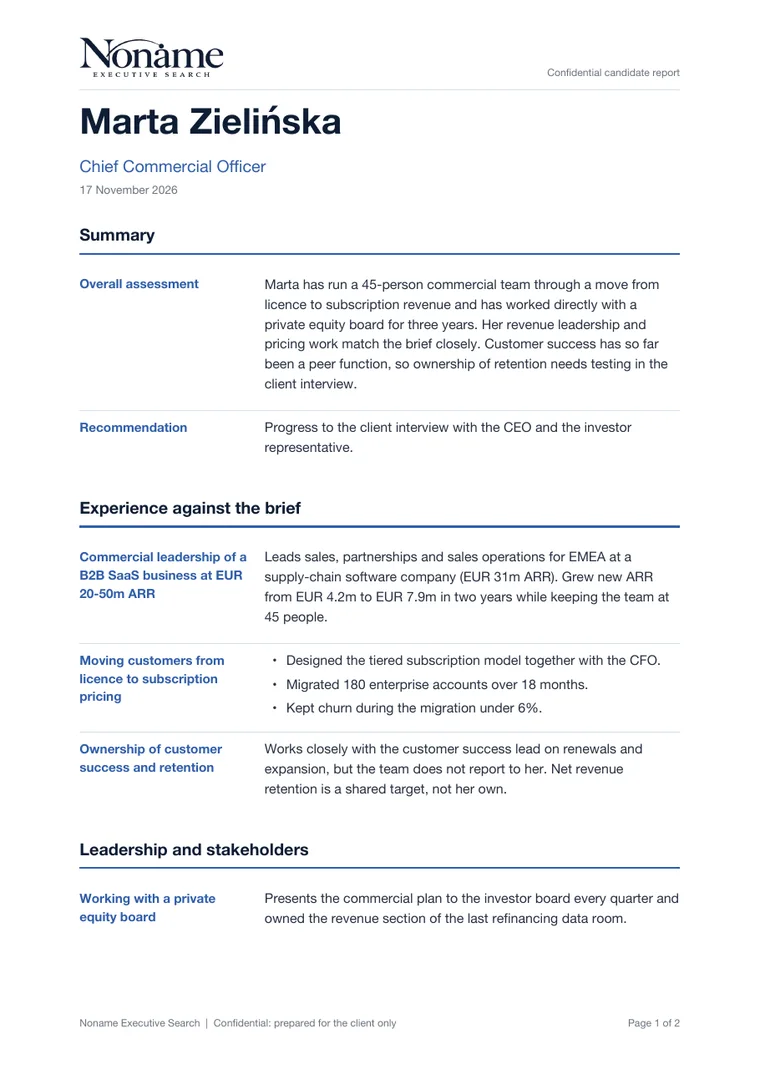
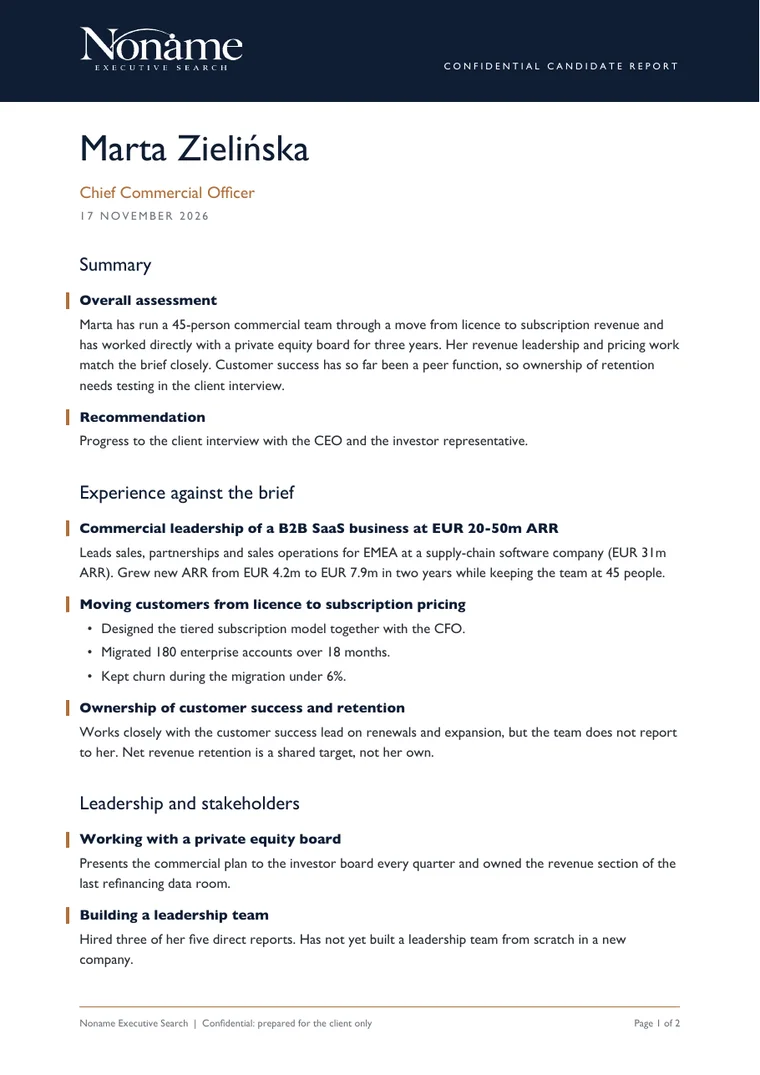
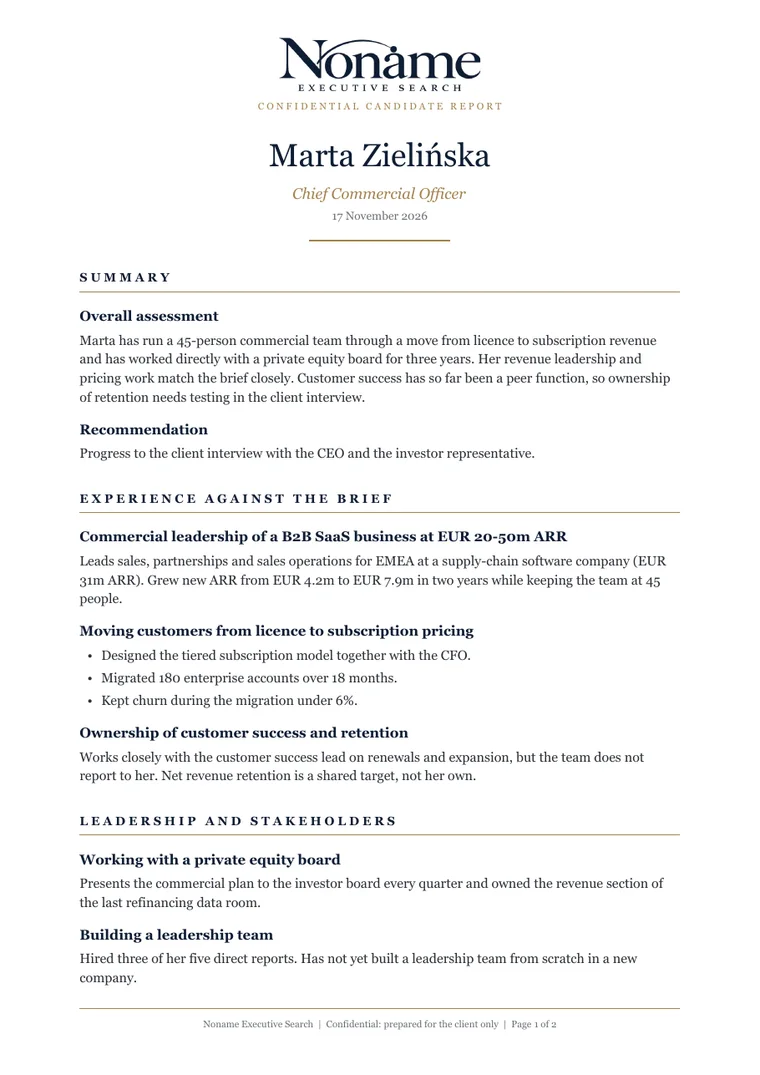
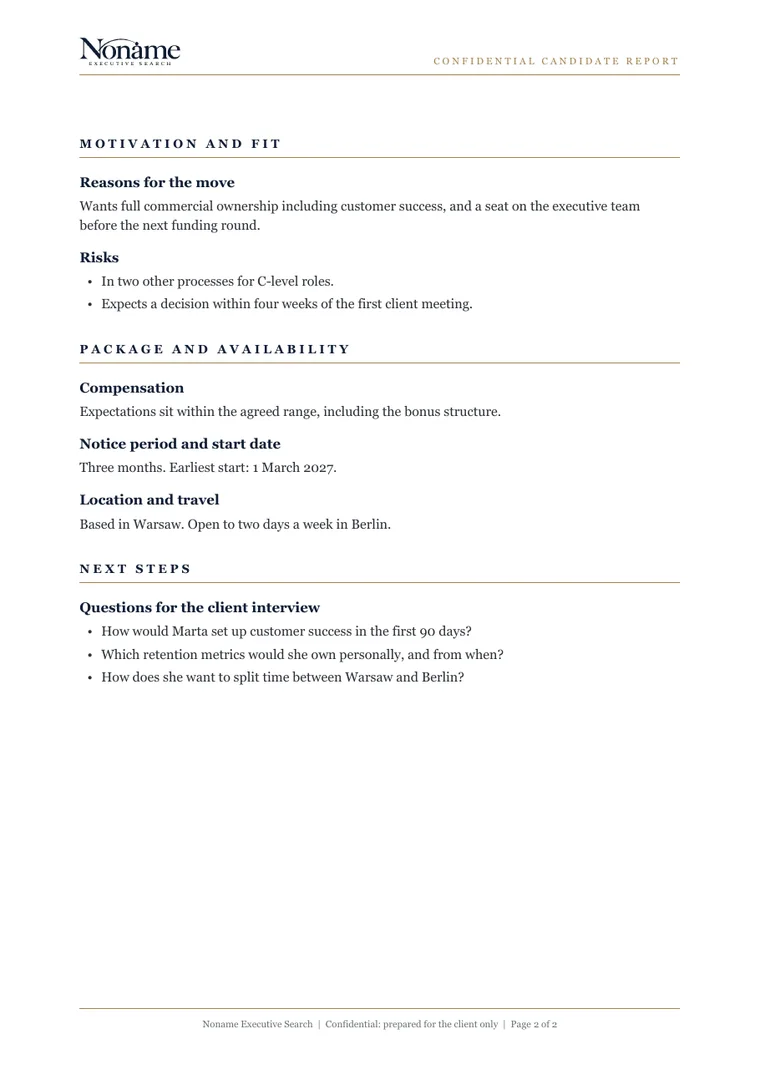
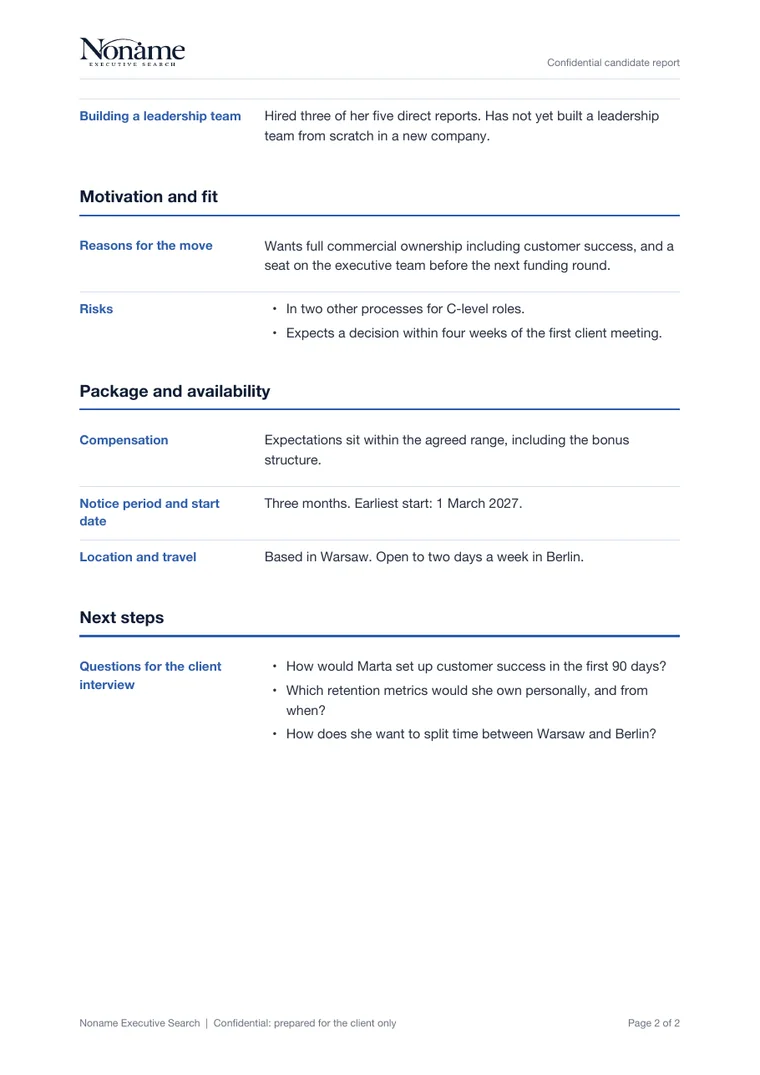
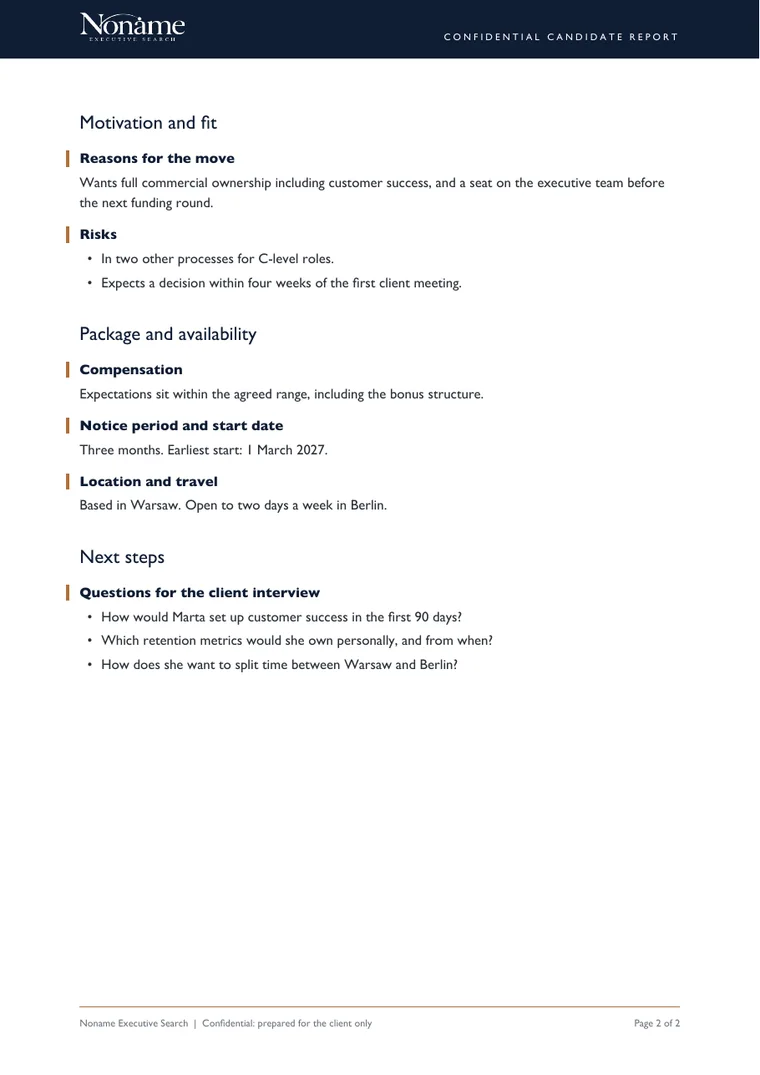
The same report in three layouts, branded for a sample firm. Each keeps one structure from start to finish: section, requirement, assessment. Colours, lines and fonts are Word styles, and the logo sits in the header.


Classic
Centred letterhead and gold rules, the requirement as a heading above its assessment. Reads like a letter from a partner.
Download Classic

Modern
The requirement on the left and its assessment on the right, in every section. Quick to scan when the client compares candidates.
Download Modern

Editorial
A navy band with the logo on every page and an accent bar on each requirement. For firms that want their brand to lead.
Download Editorial
Free .docx files for Microsoft Word. To rebrand: right-click the logo in the header and choose Change Picture, then change colours and fonts in the Styles pane. The candidate and firm are fictional.
What should a weekly search update include?
Five short blocks that fit in an email. Numbers first, then what they mean, then the decision you need.
Synthetic examples: candidates, clients and figures are invented for illustration.
Week 3, Chief Commercial Officer
How do you present a shortlist?
Every candidate on the same requirements, in the same order, with one line of evidence each. The client should be able to compare without reading every report.
Shortlist summary
What goes into a candidate report?
The text version of the Word templates above. Copy it into your own document if you already have a layout.
Candidate report
How should you report why candidates said no?
Declines are information the client cannot get anywhere else. Report the reason, how often you heard it and what could change.
"The package is below my current one"
Show three data points and a revised range
What it tells the client: the range is behind the market for this profile
"I would have to move"
Ask whether hybrid work or relocation support is possible
What it tells the client: location limits the pool more than expected
"I don't know enough about the company"
Offer an early call with the CEO or chair
What it tells the client: the employer brand is weak with this audience
"The role looks too narrow"
Rewrite the role summary around the decisions the person will own
What it tells the client: the scope reads smaller than the title
From the interview to the client report in one place
In ReCo you choose the sources for each section of the report (transcript, notes, CV or brief), generate or write each part, edit any line and export to Word in your own structure and branding.
Product management in B2B SaaS or fintech environments
Senior Product Manager in B2B fintech SaaS since 2021, focused on business onboarding, KYC flows and account activation; prior product roles in corporate banking platforms (2018-2021) and platform and internal tools (2015-2018). Works on API-based products with third-party integrations, tracking onboarding completion, drop-offs, time to activation and manual review volume. Delivered changes that improved onboarding completion by approximately 12-15% and reduced manual reviews by roughly 20%.
Leading complex product initiatives across multiple teams
Leads a defined product domain covering KYC and business account activation, coordinating with engineering, design and risk and compliance stakeholders. Contributed to cross-team changes that improved onboarding metrics, and has collaborated with IT, risk and compliance on large-scale systems in corporate banking.
Have you ever managed other team members?
Has not formally managed a team of Product Managers. Acts as a product lead within their domain and mentors one junior Product Manager on prioritization, refinement and stakeholder communication. Shows developing readiness for people management, but has not yet owned performance reviews or difficult people conversations.
What makes a client report credible?
The client reads your report to decide who to meet. Make that decision easy and the reasoning easy to check.
Same requirements, every document
Use the requirements agreed at kick-off in the longlist, shortlist and every candidate report.
Evidence with scale and dates
Team size, revenue, period and outcome say more than adjectives.
Name the gaps yourself
A partial match you explain is more credible than one the client finds in the interview.
One recommendation, one reason
Progress, hold or do not progress, with a sentence the client can repeat to their board.
Bad news in the weekly update
Declines, delays and pay gaps belong in the next update, not in the shortlist meeting.
Your brand on every page
Logo, fonts and one layout for every candidate. The templates above are a starting point.
Your report structure, filled from the interview
ReCo keeps the brief, CV, questions, notes and live transcript in one workspace. After the interview you build the report section by section and export an editable Word document in your firm's layout.
- Requirements from the brief carry through every interview and report.
- You choose the sources for each section and edit every line.
- Export to Word in your structure and branding.
The interview workspace next to your CRM
Your CRM or ATS, such as Bullhorn (including Invenias), tracks candidates and stages. ReCo is where the interviews happen and the candidate reports get written. The finished report goes back to your CRM and to the client.
Finding candidates
There you search, identify, and reach candidates.
Interviews, evaluation, write-ups
You've got one workspace for all your calls — with full candidate & role context and AI support before, during, and after every interview.
Managing the
process & database
There you store candidate information, manage relationships, and track the hiring process.
Not another notetaker. The place you do the whole interview job - from running the call to the finished report.
Think ChatGPT + a notetaker in one recruiting workspace, already set up for candidate interviews. Prepare the role and questions, run the call with the CV, notes, and live transcript at hand, then create the write-up from those same sources. Because the context builds as you work, AI can help without extra prompts, uploads, or re-explaining the candidate and role.

Prep, run, write up - one space
Role context and questions before the call; the CV, JD, and your own notes at hand during it; a write-up built from those same sources after - you choose what feeds each part, and what you write yourself.
A recommendation report you edit however you like
Generate the whole candidate report, rewrite one paragraph with your own instruction, or write a section by hand - all in the same editor, with the sources behind each block up to you: transcript, notes, CV or job description.
A notetaker at its core
A live transcript for Google Meet and Teams, with no audio or video stored. Face-to-face meetings and phone calls on speakerphone are captured through the computer microphone as a paid add-on.
Time back after every conversation
Reports, notes, and summaries done 50-80% faster - while the conversation is still fresh.
AI that needs no prompting
Chat and quick actions already know your candidate and role - ask for follow-up questions, a tailored candidate feedback message, or a search strategy. No prompt engineering, no transcript to paste, no role to explain.
Compliance built into the flow
CVs are anonymized automatically. You edit the transcript by hand. No AI training, and you make the final call.
A workflow your team will actually use
Recruiters keep working the way they already do, but with the full interview stage in one place. You get consistent structure across calls and reports, while useful AI does not depend on everyone mastering prompts or rebuilding context.
Executive search reporting: FAQ
Cadence, content and format of client reports.
Pricing
From interview to recommendation. 50–80% faster.


